Getting Started
Getting Started
Installation
Installation
Inspect Traffic
Inspect Traffic
HTTP Rules (Modify Traffic)
HTTP Rules (Modify Traffic)
Overview
Redirect URL (Map Local, Map Remote)
Replace Strings (Switch Hosts, API Endpoints)
Modify Headers
Modify Request Body
Modify Response Body
Modify Query Params
Modify Cookies
Modify DOM/Inject scripts
Modify User Agents
Delay Request
Cancel Rule
Organizing Rule
Import/Export Rules from File
Pause/Resume Requestly
Rule Operators
Advance Targeting
Sharing Rules
Map Local
Map Remote
Pinning Rules
GraphQL Support
Edit and Replay
Import Setting from Charles Proxy
Test URL Condition
Test this Rule
File Server
File Server
Sessions Replay
Sessions Replay
Getting Started
Getting Started
Installation
Installation
Inspect Traffic
Inspect Traffic
HTTP Rules (Modify Traffic)
HTTP Rules (Modify Traffic)
Overview
Redirect URL (Map Local, Map Remote)
Replace Strings (Switch Hosts, API Endpoints)
Modify Headers
Modify Request Body
Modify Response Body
Modify Query Params
Modify Cookies
Modify DOM/Inject scripts
Modify User Agents
Delay Request
Cancel Rule
Organizing Rule
Import/Export Rules from File
Pause/Resume Requestly
Rule Operators
Advance Targeting
Sharing Rules
Map Local
Map Remote
Pinning Rules
GraphQL Support
Edit and Replay
Import Setting from Charles Proxy
Test URL Condition
Test this Rule
File Server
File Server
Sessions Replay
Sessions Replay
Record a Session
Requestly automatically records the video of your browsing session along with debugging details on the configured domains.
Steps for auto recording mode
- When you browse a configured webpage and notice a bug, click Requestly icon in the browser extension toolbar (next to the address bar). If you haven't pinned the extension to the toolbar yet, you may do it by clicking below icon.

- Click Watch last 5 min replay button in the popup or click the Requestly widget appearing at the bottom left corner of the web page.
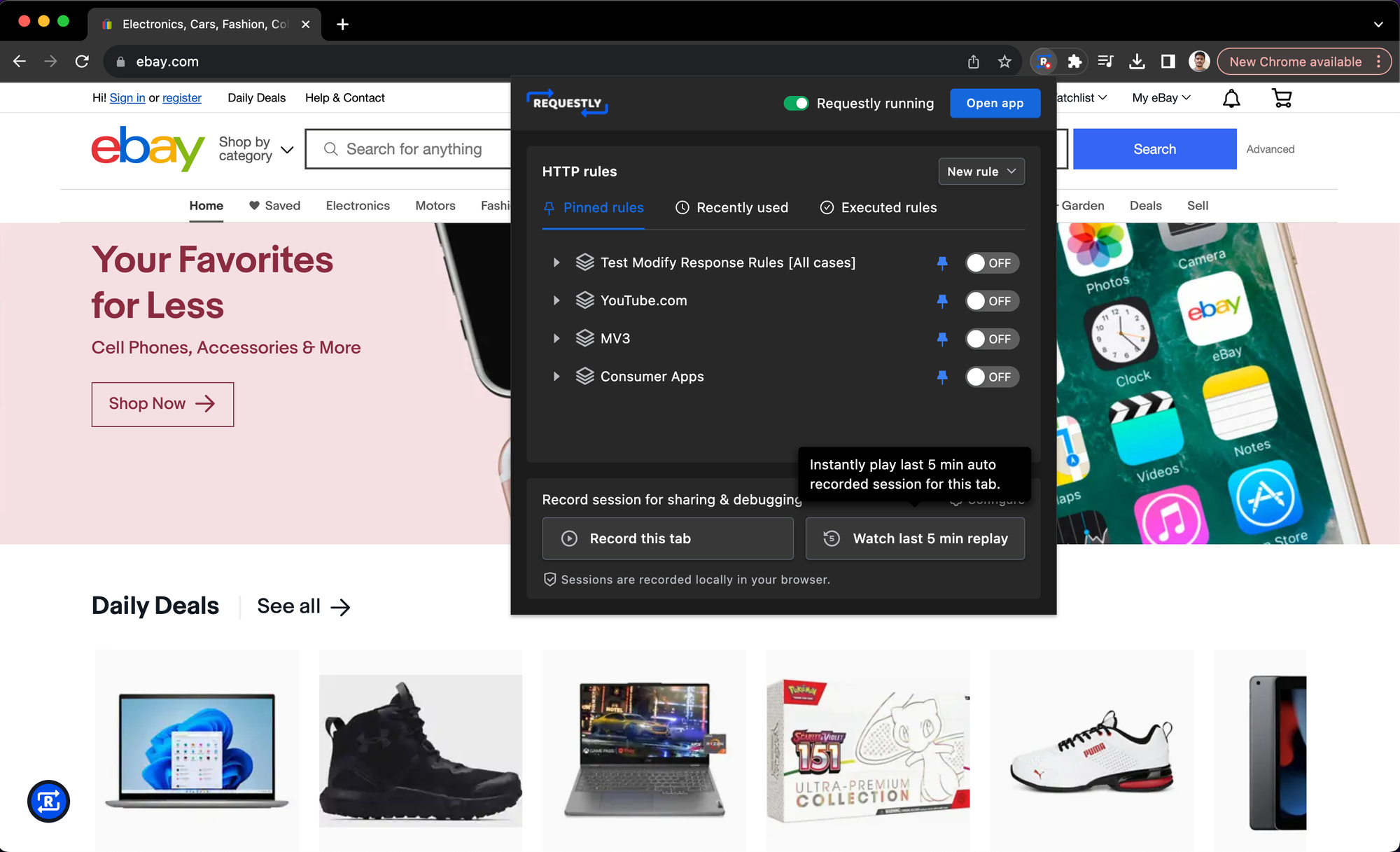
- The details of the recorded session will open in a new browser tab.
Start/Stop recording manually
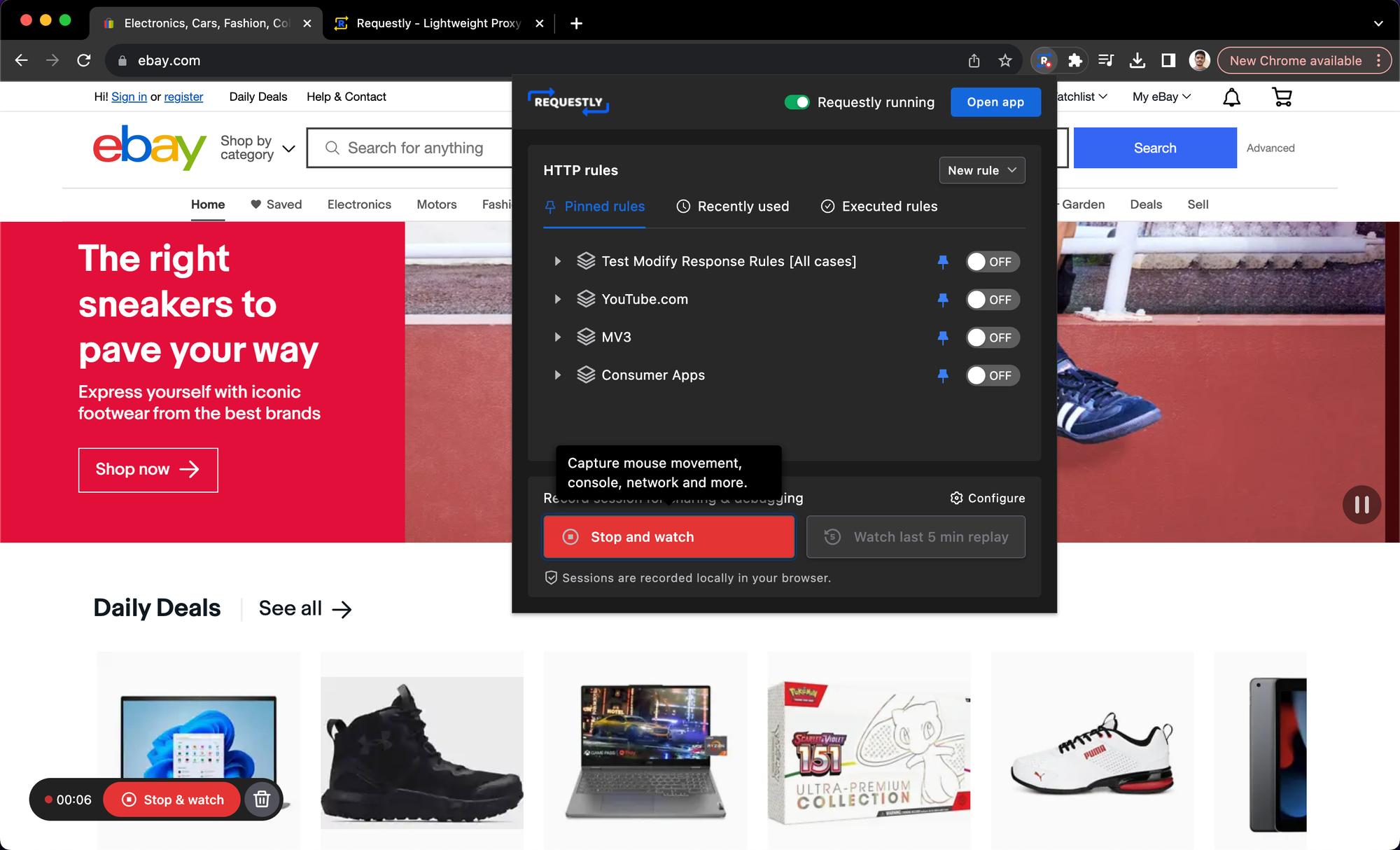
If you haven't configured the Session Recording on a webpage, you may still start and stop the recording manually by clicking Start recording and Stop recording in the extension popup.
 Made with Bullet